Take This Task Pipeline
The AI picks a task from Jira on its own, writes the code, passes two reviews and merges into master — while you run the factory from the launcher: tasks lie as cards, epics are split into waves, everything starts with a click. Below are working screens, not promises. Then take it for yourself — we set it up turnkey.
How the pipeline works
✦Fact. This very site was built this way: html5-studio.ru pages go through the pipeline as tasks HS-1, HS-2, HS-3… This diagram is task HS-5.
What is going on here
You drop a ticket number — the rest happens without you. The AI spins up an isolated environment for the task, writes code by your project rules, reports back to Jira and moves on to the next one. A human is only needed for acceptance.
Why this is not just "AI writes code"
Any model can write code. The pipeline is everything around it: task isolation, a queue, two mandatory reviews, a staging environment and automated tests before production. That is exactly what vibe-coding lacks to survive to production.
Many tasks at once
A big feature is split into waves. Tasks within a wave run in parallel — each in its own branch and its own environment, so they never conflict. A wave closes — the next one starts.
What it costs per month
A model subscription and a couple of servers — tens of dollars. A code iteration costs cents instead of developer hours at full rate. One product with 500+ users is run by two people.
What it looks like from the inside
Working screens of the factory that ships CHATBOSS.PRO. No editing, no slide decks — click any of them to take a closer look.
Before the pipeline and after
The same product · switch between the frames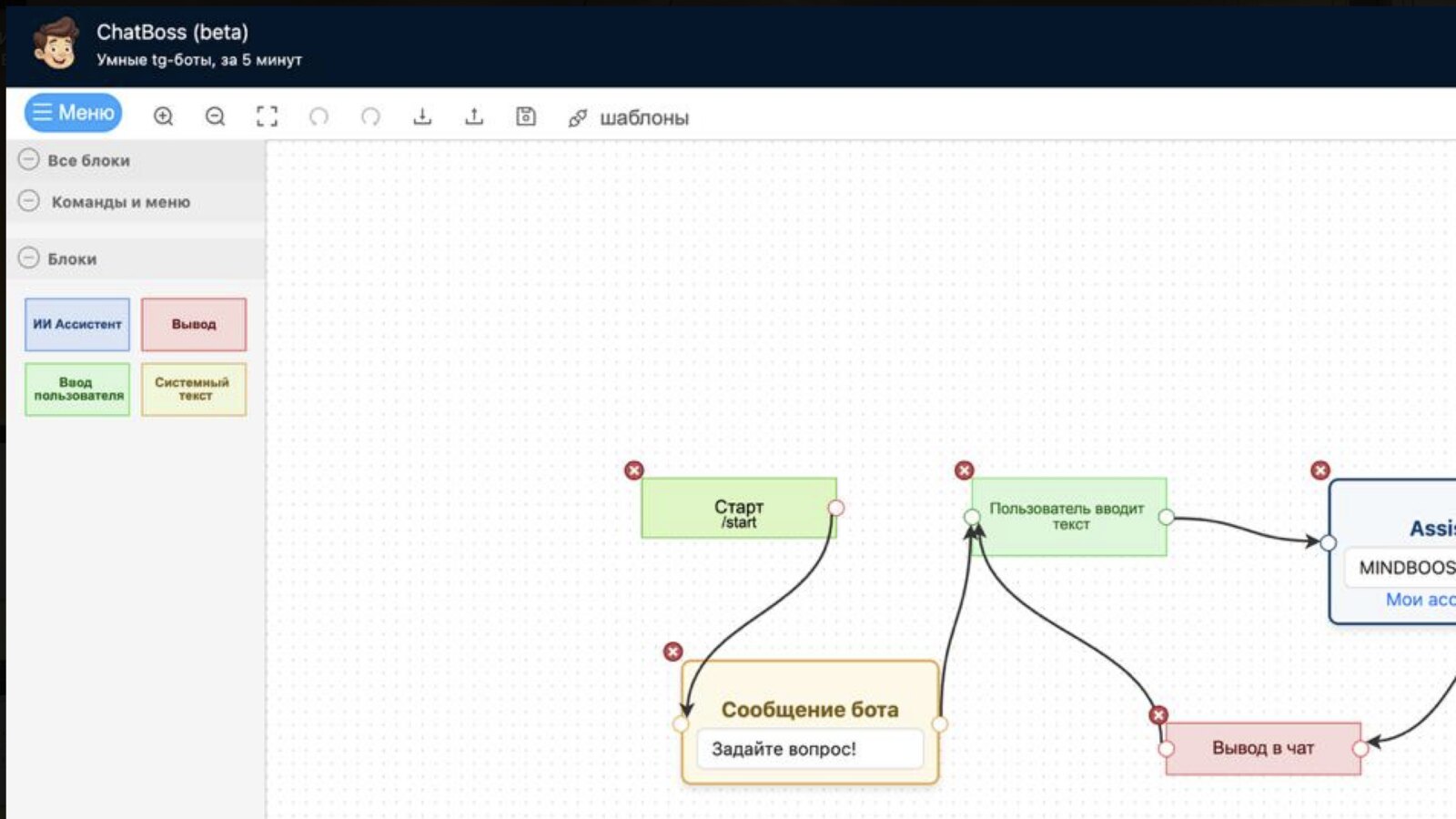

Before the pipeline. The CHATBOSS.PRO bot editor in beta: four blocks in the panel, no payments, no human handover, no templates. Every change was made by hand, so the product moved as far as spare evenings allowed.
After the pipeline. The same editor today: a dozen-plus blocks — payments, human handover, timers, DALL·E, conditions, sessions — a new interface and templates. All of it shipped by the pipeline with a team of two.
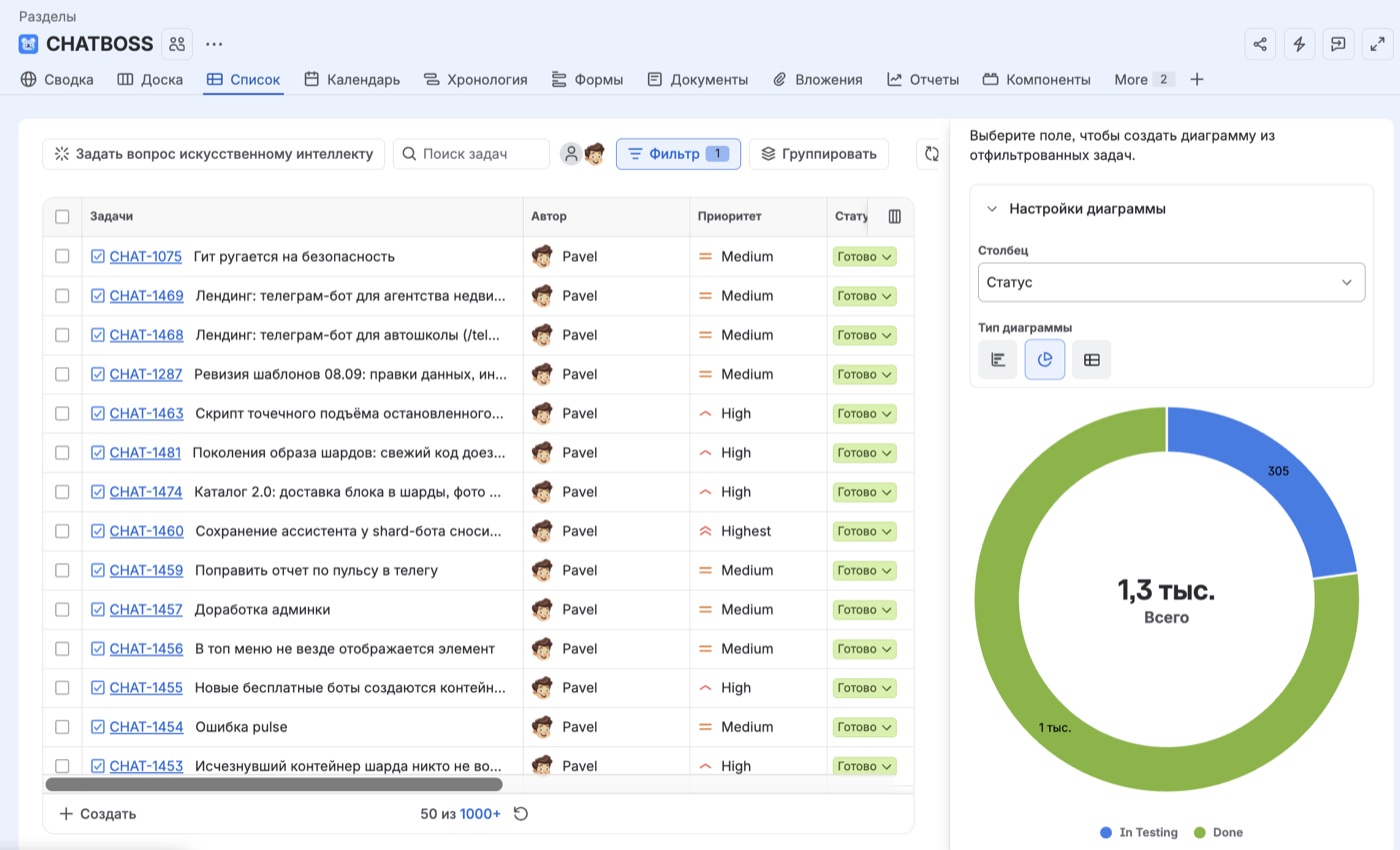 1,339 CHATBOSS.PRO tasks went through the pipeline: 1,034 closed, 305 done and waiting for acceptance. A team of two. Median from ticket to close over the last two months: 5 hours.
 The pipeline window on CHATBOSS.PRO: a five-task sprint merged to master, an epic assembled, the agent reading the final review. Automation is on: review, merge, conflicts, finalization.
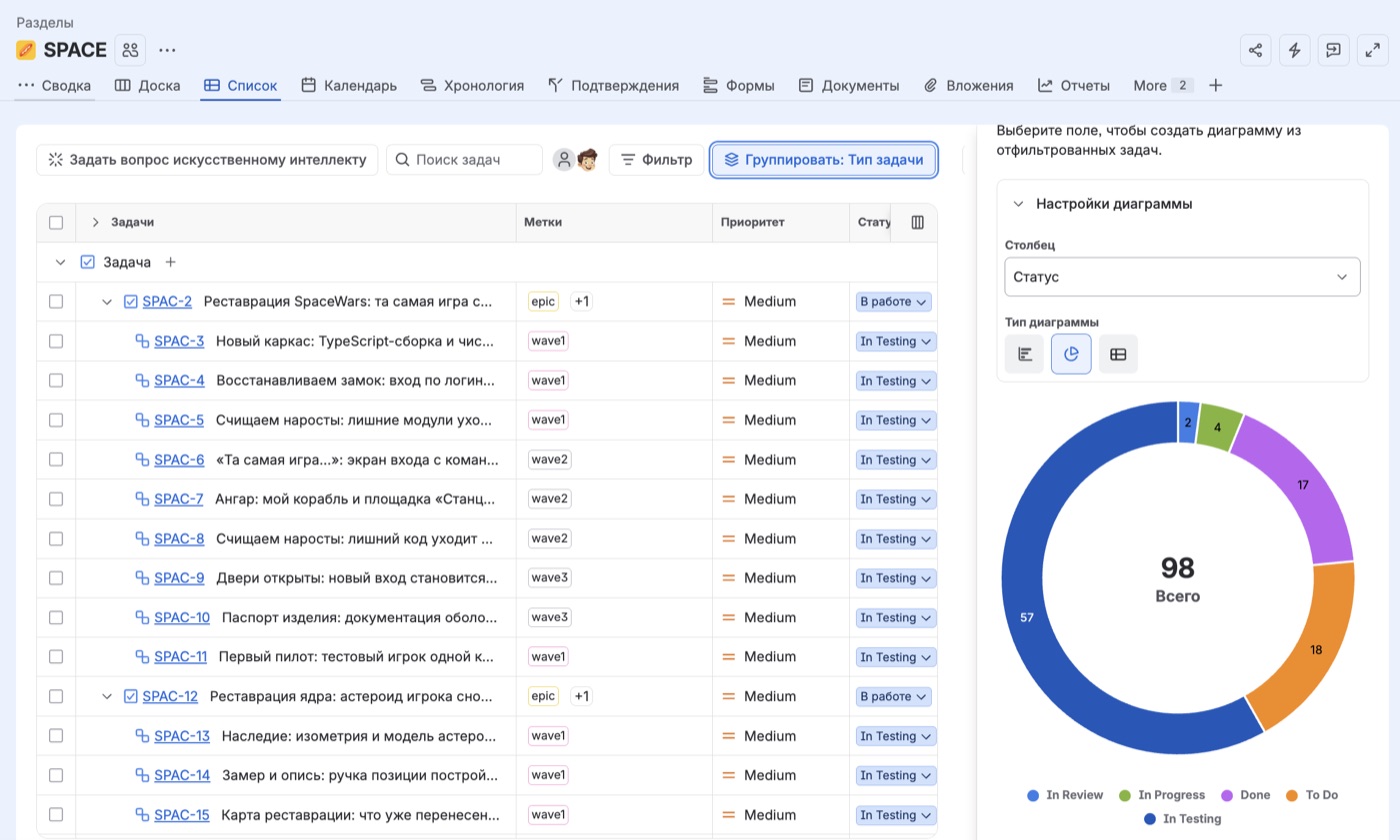 Space Wars, a second project on the same pipeline: 98 tasks in two weeks. An epic is split into waves; subtasks of one wave run in parallel, the next wave starts from the previous result.
Every CHATBOSS.PRO release rides through this pipeline and lands in the feed (posts are in Russian). Subscribe — and watch the factory live, not in screenshots.
From the outside — just an app
All the machinery — git worktrees, queues, waves, AI reviewers — is hidden under the hood. The pipeline operator does not code: they assign tasks and accept the results.
Why a dashboard, not a terminal
The task pipeline used to live in the terminal, and it worked: one command launched entire waves. But when there are many parallel tasks and even more terminal tabs, you start getting humanly confused: which tab is which task, which epic, which wave is running. So the choice was made in favour of a visual dashboard: hover over a card — and you instantly see the task, its epic and its wave. Your head stays free for decisions, not for remembering tabs.
In the launcher one operator drives dozens of tasks in parallel. That is what "holding the bulls by the horns" means: not ploughing yourself, but steering the team.
How to take the pipeline for yourself
We set it up in your Jira and your stack — you run the factory
We set it up for you
The pipeline plus the production loop: Docker, automated tests, a staging environment, auto-deploy to production. We set it up in your Jira and your stack and train the team.
- Audit and quote — free
- Automated tests, staging and CI/CD — on us
- Then the factory runs without us
Want a detailed tour of the whole factory first — read the CHATBOSS.PRO case study: architecture, numbers, who does what.